Actions
Actions are the executable steps in a flow. Each action runs sequentially unless it fails, or as part of a dependency graph if the flow uses dag execution mode.
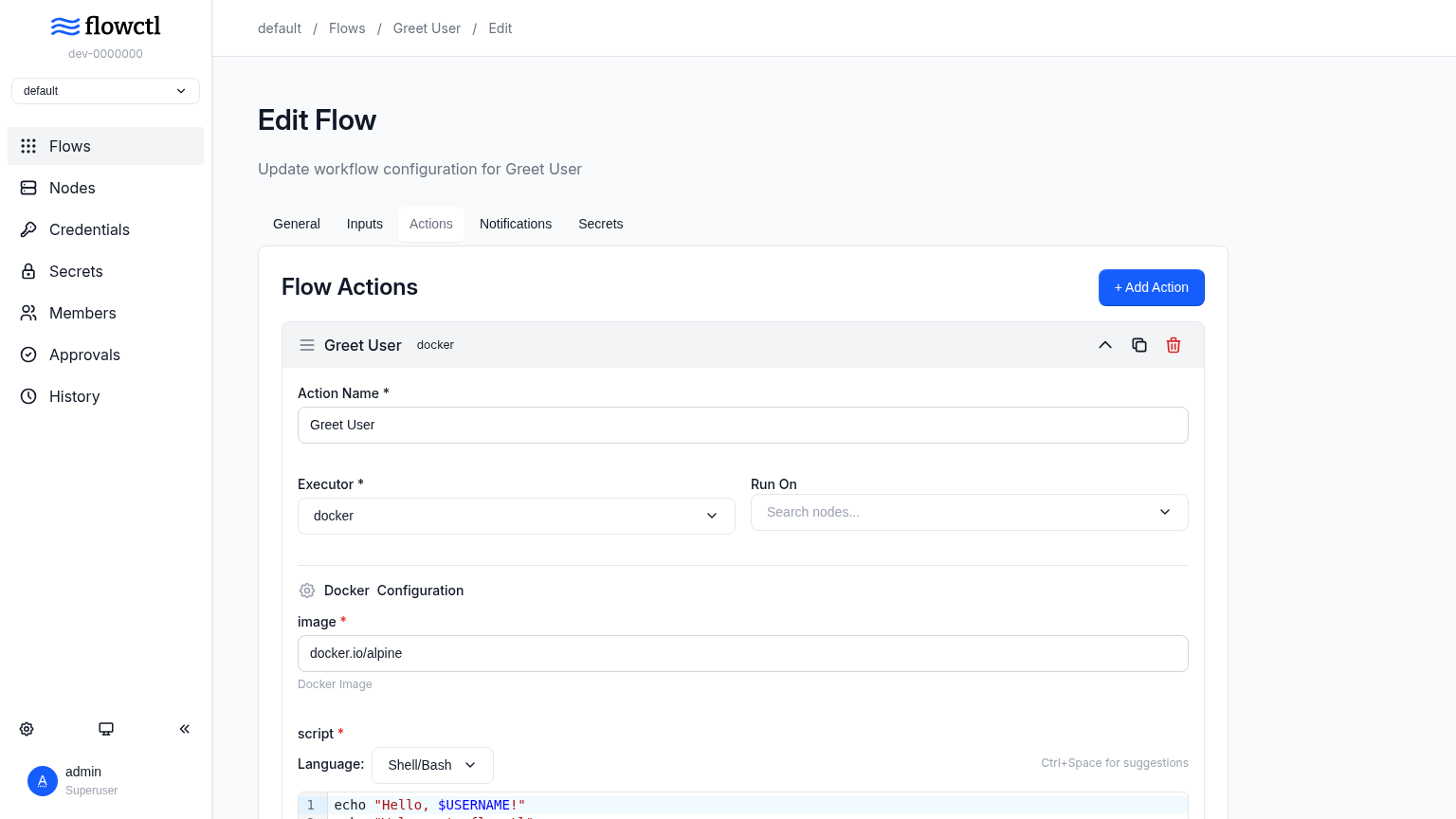
Action Structure
actions:
  - id: action_id # Unique action identifier
    name: Action Name # Display name
    executor: docker # Executor type: docker or script
    on: # Optional: remote nodes to run on
      - NodeName1
      - NodeName2
    needs: # Optional: actions this one waits for (dag mode only)
      - other_action_id
    variables: # Variables available to the script
      - var_name: "{{ expression }}"
    with: # Executor-specific configuration
      image: alpine
      script: |
        echo "Script here"
    approval: false # Require manual approval
The needs field only applies when the flow's execution_mode is dag. Using it in a sequential
flow is a validation error. See Execution Modes for how
dependencies are scheduled.
Executors
Flowctl supports two executor types:
Docker Executor
Runs scripts in Docker containers:
- id: build
  name: Build Application
  executor: docker
  variables:
    - environment: "{{ inputs.env }}"
  with:
    image: docker.io/node:18
    script: |
      npm install
      npm run build
      echo "BUILD_ID=$(date +%s)" >> $FC_OUTPUT
Script Executor
Executes scripts directly on the target system (local or remote):
- id: deploy
  name: Deploy to Server
  executor: script
  on:
    - ProductionServer
  variables:
    - app_name: "{{ inputs.app_name }}"
  with:
    script: |
      cd /opt/$app_name
      git pull
      systemctl restart $app_name
Variables
Variables are defined per-action and can reference inputs, secrets, or previous action outputs:
variables:
  # From inputs
  - username: "{{ inputs.username }}"

  # From secrets
  - api_key: "{{ secrets.API_KEY }}"

  # From previous action outputs
  - build_id: "{{ outputs.BUILD_ID }}"

  # Using expressions
  - uppercase_name: "{{ upper(inputs.name) }}"
  - sum: "{{ inputs.num1 + inputs.num2 }}"
  - is_prod: "{{ inputs.env == 'production' }}"
Tip
You can use expr expressions to define variables.
Flow Secrets
Flow secrets allow you to securely store sensitive information like API tokens, passwords, and credentials that your flow needs to access. Secrets are encrypted at rest and never displayed after creation.
Managing Secrets
Secrets are managed per-flow through the flowctl UI:
- Navigate to your flow's configuration
- Go to the "Secrets" tab
- Add, edit, or delete secrets as needed
Secrets can be only added after the flow is created.
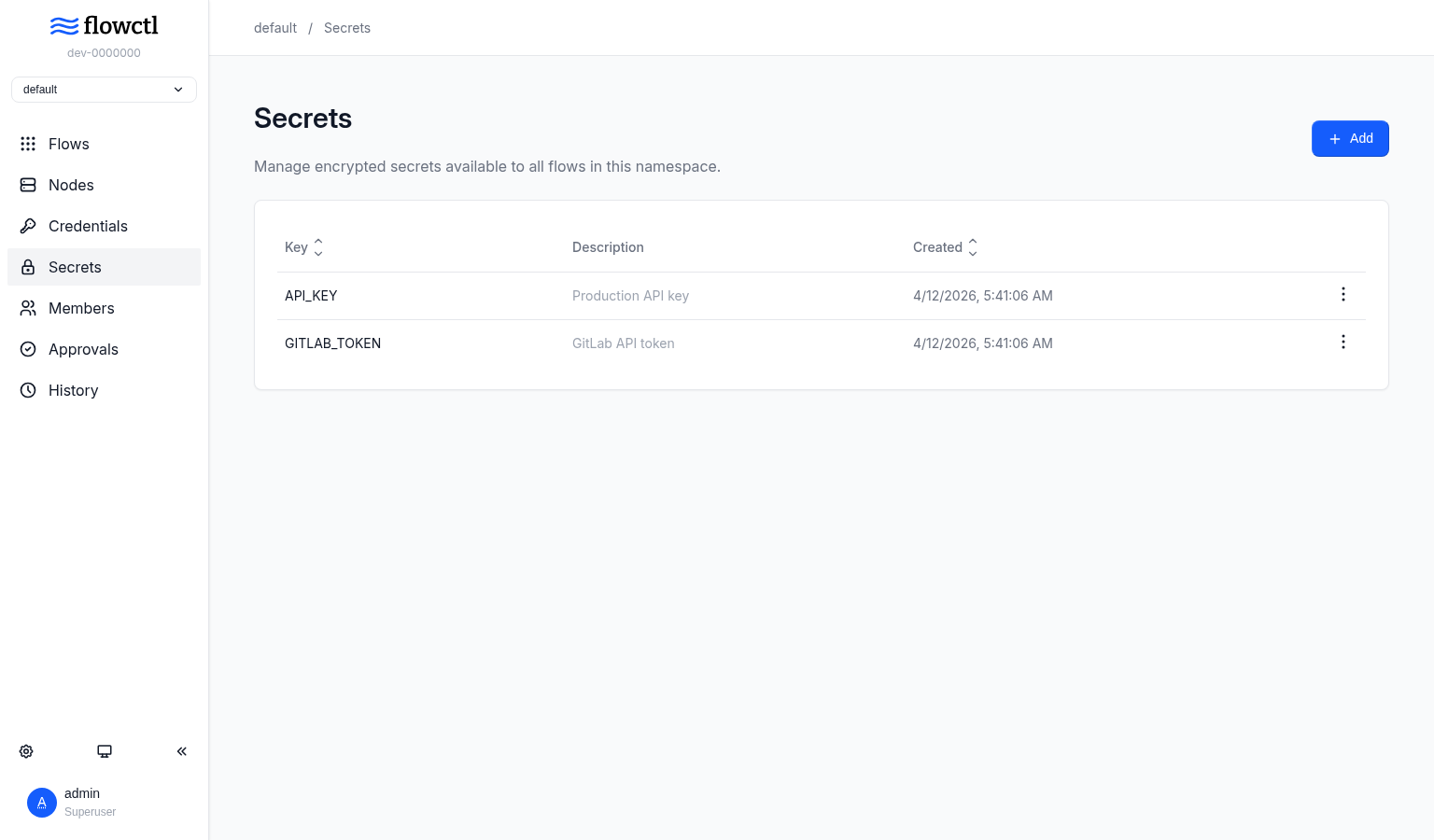
Each secret has:
- Key: The name used to reference the secret (e.g.,
API_TOKEN,DB_PASSWORD) - Value: The sensitive data (encrypted and never displayed after creation)
- Description: Optional note about what the secret is for
Warning
Secret values cannot be viewed after creation. When editing a secret, you must provide a new value.
Using Secrets in Flows
Access secrets in your flow using the secrets context within variables:
actions:
  - id: deploy
    name: Deploy Application
    executor: docker
    variables:
      - PGPASSWORD: "{{ secrets.DB_PASSWORD }}"
    with:
      image: alpine
      script: |
        # Secrets are available as environment variables
        echo "Connecting to database..."
        psql -U postgres -c "SELECT 1"
Approvals
Require manual approval before an action executes:
- id: deploy_production
  name: Deploy to Production
  executor: docker
  approval: true # Flow pauses here for approval
  with:
    image: alpine
    script: |
      echo "Deploying to production..."
When a flow reaches an approval action, it pauses and waits for a user to approve or reject it through the UI. Only users with Admin or Reviewer role can approve requests.
Approving resumes the execution from that action. Rejecting cancels the whole execution and records who rejected it in the cancellation note. Once an execution has been cancelled, its pending approvals can no longer be decided.
In a dag flow an approval only blocks its own branch, and the execution can be waiting on several approvals at once. See Approvals in a Graph.
Artifacts
Preserve files generated during action execution:
- id: generate_report
  name: Generate Report
  executor: docker
  with:
    image: alpine
    script: |
      mkdir /reports
      echo "Report content" > $FC_ARTIFACTS/report.txt
Note
Only top level files in the $FC_ARTIFACTS directory will be transferred
between jobs. Any directories added here will be ignored. Files produced on
the local node (default, when no nodes are selected), will be available under
the local directory under $FC_ARTIFACTS
Any files copied to the $FC_ARTIFACTS directory will be available as artifacts
in subsequent actions under the same directory.
Artifacts from remote nodes are automatically transferred and made available to subsequent actions at $FC_ARTIFACTS/<NodeName>/path/to/artifact. If the execution was local, the <NodeName> is local.
Example: Using artifacts across nodes
actions:
  - id: create_on_remote
    name: Create File on Remote
    executor: docker
    on:
      - RemoteNode
    with:
      image: alpine
      script: |
        echo "Hello from remote" > $FC_ARTIFACTS/message.txt

  - id: use_on_local
    name: Use File Locally
    executor: docker
    with:
      image: alpine
      script: |
        # Access artifact from RemoteNode
        cat $FC_ARTIFACTS/RemoteNode/message.txt
Remote Execution
Execute actions on remote nodes using the on field:
- id: remote_task
  name: Run on Remote Server
  executor: script
  on:
    - WebServer1
    - WebServer2
  with:
    script: |
      hostname
      uptime
The action runs on all specified nodes in parallel.
Actions can write output variables using the $FC_OUTPUT file:
Access these in outputs or subsequent actions:
If the output is from a remote node, access it as:
When an action runs on multiple nodes, $FC_OUTPUT is scoped per node. Use $FC_OUTPUT_GLOBAL instead for a value that should be the same regardless of which node produced it:
Access it under the global namespace, keyed by the action's id:
If multiple nodes write the same key to $FC_OUTPUT_GLOBAL, the last one to finish wins. Since global is used for this namespace, it can't be used as a node name.
Execution Context
Alongside its own variables, every action gets two variables describing the run it belongs to:
| Variable | Description |
|---|---|
$FC_EXEC_ID |
ID of the execution. Stays the same across resumes and re-runs of that execution. |
$FC_ATTEMPT |
How many times this action has been started, counting from 1. |
$FC_ATTEMPT is 1 the first time an action runs and goes up every time it starts again, whether
that is a max_retries retry, a resume, or a re-run from that action. Use it to make an action safe
to repeat:
- id: provision
  name: Provision
  executor: script
  with:
    script: |
      if [ "$FC_ATTEMPT" -gt 1 ]; then
        echo "cleaning up after attempt $((FC_ATTEMPT - 1))"
        ./cleanup.sh
      fi
      ./provision.sh
Next Steps
- Reference Inputs in action variables
- Declare dependencies between actions with Execution Modes
- Set up Notifications for action outcomes
- Configure Remote Nodes
- Back to Flows overview