Notifications
Configure notifications to alert users or groups when specific flow events occur.
Notification Configuration
metadata:
  id: deployment_flow
  name: Production Deployment
  description: Deploy application to production

notify:
  - channel: email
    config:
      receivers:
        - [email protected]
        - group:devops-team
    events:
      - on_failure
      - on_waiting

  - channel: webhook
    config:
      url: "https://example.com/webhooks/flowctl"
    events:
      - on_success
      - on_failure
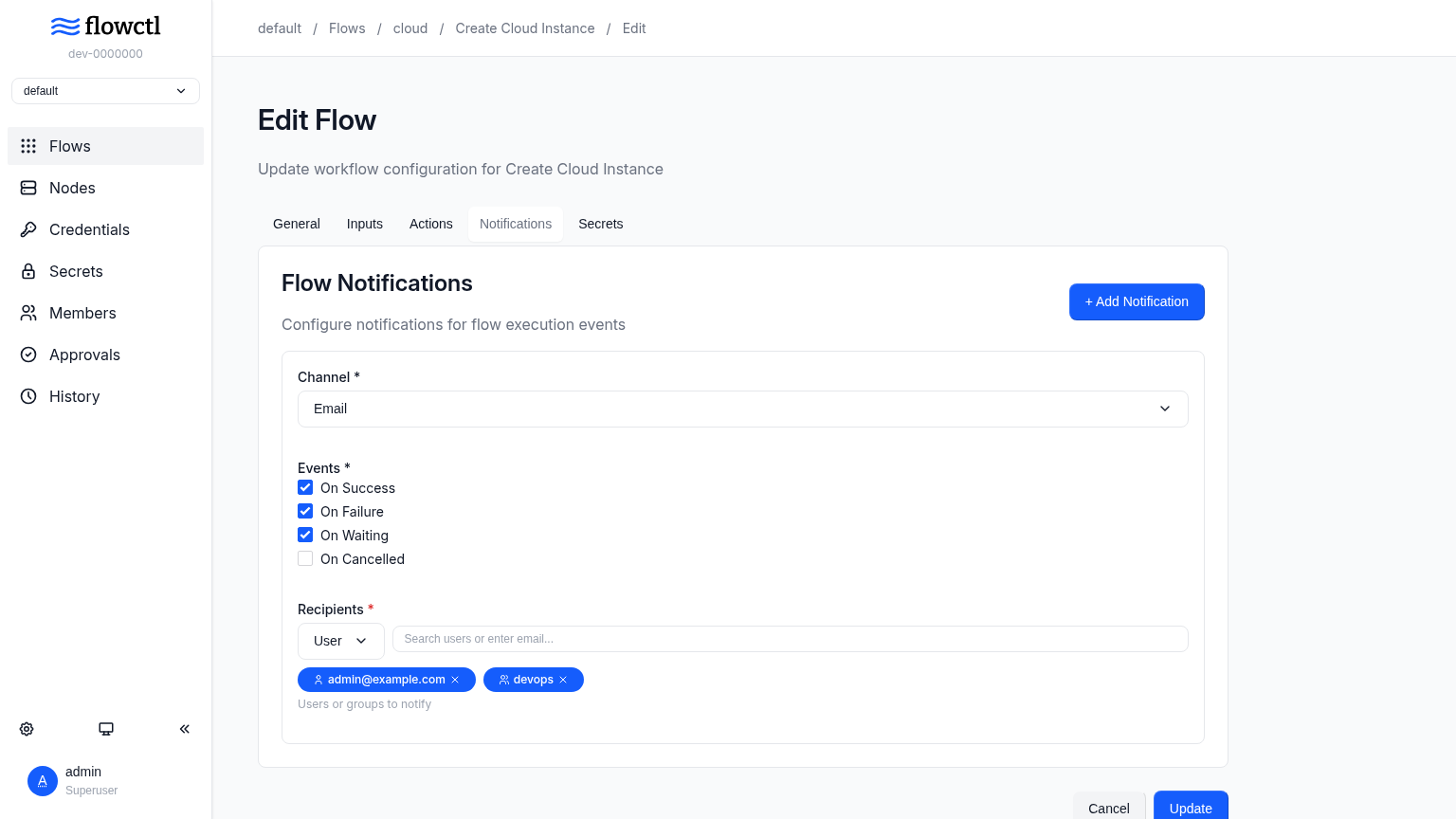
Notification Channels
Flowctl supports the following notification channels:
- email - Send notifications via email to individual users or groups
- chat - Post to a Slack or Mattermost channel using an incoming webhook
- webhook - Send notifications via HTTP POST requests using the Standard Webhooks format
Notification Events
You can configure notifications for the following events:
| Event | Description |
|---|---|
on_success |
Triggered when the flow completes successfully |
on_failure |
Triggered when the flow encounters an error |
on_waiting |
Triggered when the flow is waiting for approval |
on_cancelled |
Triggered when the flow execution is cancelled |
Receivers
Email notifications use config.receivers to specify who should be notified. Receivers can be:
- Individual Users - Specify user email addresses directly. Users active in flowctl and external users are supported.
config:
  receivers:
    - [email protected]
    - [email protected]
- Groups - Reference groups using the
group:prefix:
Chat Notifications
Chat notifications post a message to a Slack or Mattermost channel.
notify:
  - channel: chat
    config:
      url: "https://mattermost.example.com/hooks/xxxxxxxxxx"
    events:
      - on_failure
      - on_waiting
Note
Chat notifications require the chat messenger to be enabled in the server's config.toml.
See chat configuration for setup details. The execution link uses
root_url, so set that correctly if flowctl runs behind a proxy.
Webhook Notifications
Webhook notifications send an HTTP POST request to a configured URL using the Standard Webhooks format. Each request includes the following headers for verification:
webhook-id- Unique message identifierwebhook-timestamp- Unix timestamp of the requestwebhook-signature- Ed25519 signature (v1a,<base64-encoded-signature>)
The signature is computed over the string {webhook-id}.{webhook-timestamp}.{body} using the Ed25519 private key configured in config.toml. The payload is a JSON object containing the event type and notification data.
{
  "type": "flow.execution",
  "timestamp": "2026-02-19T06:51:14.812322765Z",
  "data": {
    "flow_id": "example_flow",
    "flow_name": "Example Flow",
    "exec_id": "c1203042-f9e5-4f07-b8be-84e2e0a6a28f",
    "status": "completed",
    "error": "",
    "namespace": "default"
  }
}
For webhook notifications, provide the target URL in the config field:
notify:
  - channel: webhook
    config:
      url: "https://example.com/webhooks/flowctl"
    events:
      - on_success
      - on_failure
Note
Webhook notifications require the webhook messenger to be enabled and an
Ed25519 signing key to be configured in the server's config.toml. See the
webhook configuration for setup details.
Multiple Notification Configurations
You can configure multiple notification rules for different events and channels:
notify:
  # Alert tech team for failures
  - channel: email
    config:
      receivers:
        - group:tech
    events:
      - on_failure

  # Alert reviewers when approval is needed
  - channel: email
    config:
      receivers:
        - group:reviewers
    events:
      - on_waiting

  # Post failures to the on-call channel
  - channel: chat
    config:
      url: "https://mattermost.example.com/hooks/xxxxxxxxxx"
    events:
      - on_failure

  # Send to an external service
  - channel: webhook
    config:
      url: "https://example.com/webhooks/flowctl"
    events:
      - on_success
      - on_failure
Next Steps
- Configure Approvals to trigger
on_waitingnotifications - Back to Flows overview